
10 Best Payment Gateways in the USA for Small Businesses
A payment processor helps a business accept card payments and receive the money from completed transactions. The best online payment processor depends on how the business sells, what customers use to pay, and the full cost of each payment—not just the advertised rate.

Try our free Profit Margin Calculator to calculate your profit margin from revenue and costs.
1. What is a payment processor? A simple explanation
A payment processor is the service that helps a business handle card payments. When a customer pays, it sends transaction information through the payment system, returns the bank’s approval or decline, and helps arrange settlement of an approved, completed payment.
Think of buying a $30 item online. The customer enters payment details, the bank decides whether to approve the request, and the business receives the outcome. If the payment is captured and settled, funds become available according to the provider’s terms. An approval message is not the same as money already in the business bank account.
A payment gateway is the secure connection that sends checkout payment information into this process. The processor handles processing and settlement. Many services bundle these roles, which is why “gateway” and “processor” are often used loosely when businesses compare checkout options.
This shortlist includes combined processing platforms, a gateway service, and wallet checkout options. They are different purchasing choices. A wallet such as Amazon Pay is not interchangeable with a gateway-only contract, and Shopify Payments is tied to Shopify.
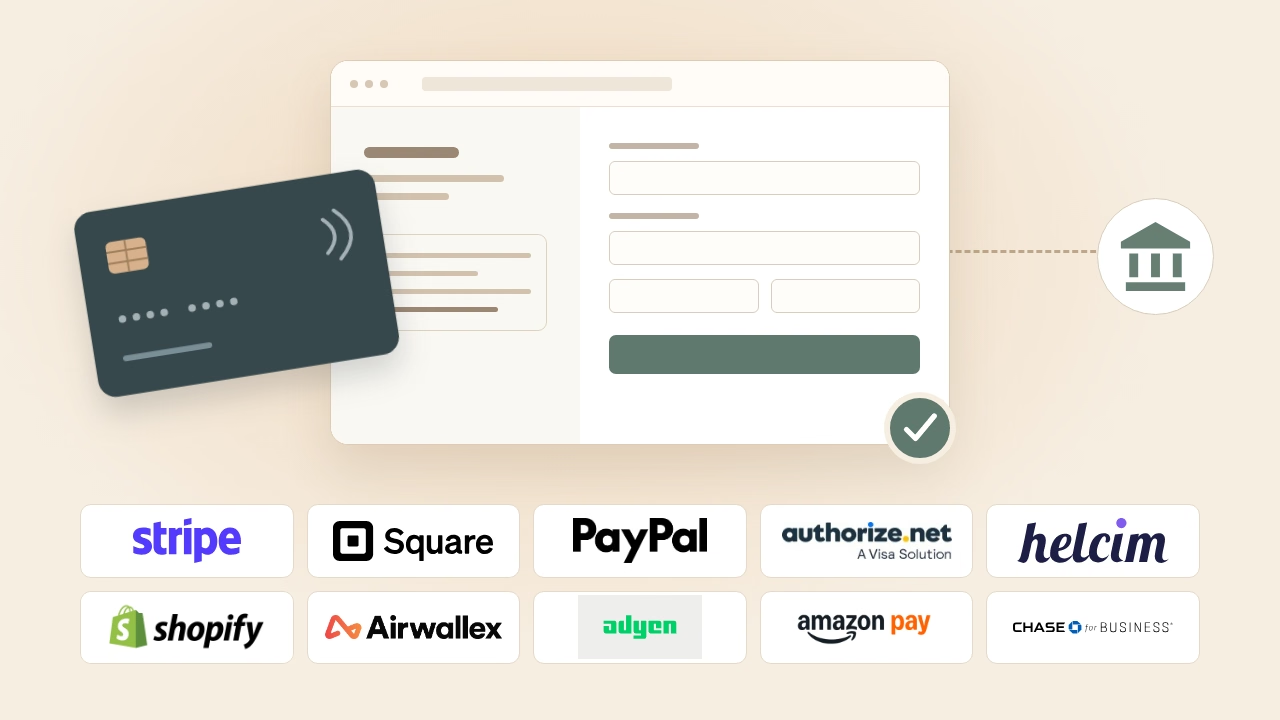
2. Compare 10 payment gateways and processing options in the USA
Use this list to match a payment solution to the business’s actual sales channels. The numbering is for navigation, not a claim that one provider wins for every business. Features and US pricing were checked on November 25, 2026; confirm current terms before applying.
Published examples below are in US dollars and apply only to the named product, plan, and transaction type. Payment processing, website subscriptions, hardware, and additional services are separate unless the provider explicitly includes them.
| Option | A useful reason to compare it | Pricing starting point to investigate |
|---|---|---|
| Stripe | Flexible online checkout and integrations | Standard domestic cards: 2.9% + $0.30 |
| Square | In-person sales alongside online payments | Free-plan online payments: 3.3% + $0.30 |
| PayPal | A PayPal wallet option at checkout | Domestic PayPal Checkout: 3.49% + $0.49 in USD |
| Authorize.net | A gateway for a compatible merchant account | Gateway-only subscription plus gateway and processor charges |
| Helcim | Interchange-plus processing and invoicing | Interchange plus a markup; card mix affects the total |
| Shopify Payments | Payments managed inside a Shopify store | Card rates depend on the Shopify plan |
| Airwallex | Online acceptance with international currency needs | Domestic card acceptance: 2.8% + $0.30; check other charges |
| Adyen | More involved multichannel or international operations | Processing fee plus method-specific charges; minimum invoice may apply |
| Amazon Pay | An additional Amazon-account checkout option | Terms depend on the direct or partner integration |
| Chase Payment Solutions | Payments alongside a Chase business banking relationship | Compare the specific product, channel, and written quote |
A provider accepting US cards does not mean any business worldwide can open a US account. Verify the business location, permitted products, ownership documents, bank account, and underwriting requirements first. A website designer can connect an approved payment service, but cannot guarantee the provider will approve a merchant.
1. Stripe: flexible online payments and integrations
Stripe is worth comparing for an online business that needs a supported plugin, hosted checkout, or a custom integration. It also offers Payment Links, so a simple launch does not always need custom payment code.
US standard pricing lists 2.9% plus $0.30 for successful domestic card transactions. International cards add 1.5%, and currency conversion adds 1% when required. Other payment methods and products have their own terms; do not treat the domestic card price as an all-inclusive international rate.

- Useful for: online products or services with a suitable existing integration or development budget.
- Check first: plugin compatibility, recurring-billing costs, refunds, disputes, and the actual settlement currencies supported by the account.
Logo source: Stripe newsroom.
2. Square: in-person and online sales together
Square is worth investigating for a shop, restaurant, appointment business, or service provider combining face-to-face payments with online sales. Compare the payment system and the day-to-day operating tools together.
The current US Square Free plan lists online payments at 3.3% plus $0.30, and tap, dip, or swipe payments at 2.6% plus $0.15. Those are different channels. Paid plans and other transaction types can have different terms, and hardware or optional software can add costs.

- Useful for: a business that wants online ordering, invoicing, or booking alongside a physical sales operation.
- Check first: which plan and channel produce the quoted rate, hardware costs, and the tools staff need at each location.
Logo source: Square logo and media assets.
3. PayPal: a wallet checkout option for customers
PayPal is worth comparing when customers want to pay through PayPal at checkout. Treat wallet acceptance and direct card-processing products as specific services with specific pricing, rather than one universal PayPal rate.
The current US merchant fee schedule lists domestic PayPal Checkout at 3.49% plus the currency’s fixed fee, which is $0.49 for USD. Other products, international transactions, and currency conversion have different charges. Review the exact integration and payment type used on the site.

- Useful for: a supported store adding PayPal as a customer payment choice.
- Check first: cross-border charges, conversion, refund treatment, account limitations, and reconciliation with other payment methods.
Logo source: PayPal newsroom media resources.
4. Authorize.net: a gateway for a merchant-account setup
Authorize.net is a gateway option for a business that needs to connect a compatible processor or merchant account to its website. It is especially important to distinguish its gateway-only plan from an all-in-one processing offer.
Its published gateway-only plan lists $25 per month, $0.10 per transaction, and a $0.10 daily batch fee. Separate merchant-account processing charges remain payable. The all-in-one offer combines a merchant account and gateway under different transaction pricing; request a complete breakdown for the chosen arrangement.

- Useful for: a business retaining a compatible merchant account or following a platform’s supported gateway setup.
- Check first: processor compatibility, gateway versus processing charges, recurring billing, and the terms supplied by the reseller or acquiring provider.
Logo source: Authorize.net.
5. Helcim: interchange-plus pricing and payment tools
Helcim is worth comparing for an eligible business that wants interchange-plus pricing alongside invoicing, payment pages, or online checkout. Its pricing page describes no account monthly fee and volume-based processing markups.
Interchange-plus passes through underlying card costs and adds the provider’s markup. The markup is not the complete processing rate. Card type, sales channel, and volume affect the total, so compare a realistic card mix rather than assuming a displayed average will apply to every payment.

- Useful for: a business that wants to evaluate processing transparency and the included invoicing or checkout workflow.
- Check first: a cost estimate using actual transaction statements, software compatibility, and equipment or integration requirements.
Logo source: Helcim developer documentation.
6. Shopify Payments: payments inside an eligible Shopify store
Shopify Payments is worth reviewing first when the business already runs an eligible Shopify store. Payments and order management operate inside Shopify’s administration; this is not a standalone gateway to add to any unrelated website.
The US service requirements explain verification and available payment methods. Card rates depend on the Shopify subscription plan. Shopify does not add its third-party transaction fee to payments processed through Shopify Payments, but processing fees and the store subscription still apply.

- Useful for: a Shopify merchant that meets the product, identity, business, and banking requirements.
- Check first: the actual plan rate, payout terms, international costs, and fees triggered by any additional third-party provider.
Logo source: Shopify brand assets.
7. Airwallex: online payments with international currency needs
Airwallex is worth investigating when online acceptance is part of a broader need to receive, hold, convert, or pay funds across currencies. Evaluate those functions separately instead of assuming that accepting a currency also includes every settlement or transfer route.
Its US pricing page currently lists domestic card acceptance at 2.8% plus $0.30 and international cards at 4.3% plus $0.30. Local payment methods, currency conversion, transfers, and optional account or spend features can have separate terms. Compare the full arrangement required by the business.

- Useful for: an eligible business with a defined cross-border collection and currency-management workflow.
- Check first: supported merchant countries, required currencies and payment methods, settlement routes, FX charges, and the website integration.
Logo source: Airwallex US website.
8. Adyen: more involved payment operations
Adyen is worth comparing when a business has sufficiently involved online, in-person, or international requirements to justify its implementation. It belongs on a wider US shortlist, but is not automatically the simplest fit for a new low-volume seller.
Adyen’s pricing combines a fixed processing fee with payment-method charges. Other products are priced separately, and a minimum invoice can depend on the industry or business model. Ask about onboarding fit and the complete commercial terms before treating “no monthly fee” as a zero fixed-cost commitment.

- Useful for: an operation with defined payment-method, channel, reporting, or international requirements.
- Check first: sales-team approval, minimum invoice, implementation scope, and ongoing operational support.
Logo source: Adyen press kit.
9. Amazon Pay: an additional wallet checkout
Amazon Pay lets eligible merchants offer a checkout using customers’ Amazon-account payment information. Consider it as a wallet option on a supported site, rather than assuming it replaces every function of a full processing platform or merchant account.
Review the Amazon Pay fee terms and the integration used by the store. Direct Amazon Pay terms and a partner-managed payment route should not be assumed identical. Confirm who processes the payment, who pays out the funds, and which dashboard handles refunds and disputes.

- Useful for: an approved merchant testing an additional supported wallet in an existing checkout.
- Check first: plugin availability, eligible products, integration-specific charges, and the complete customer and refund journey.
Logo source: Amazon Pay.
10. Chase Payment Solutions: bank-connected payment choices
Chase Payment Solutions is worth investigating for a business comparing merchant services alongside Chase banking. Its online-payment page describes multiple routes, including an Authorize.net gateway arrangement and QuickAccept payment links.
Those are different products. QuickAccept is tied to Chase Business Complete Checking under the published requirements; a full website gateway arrangement needs its own integration and pricing review. Chase and Authorize.net can be parts of the same setup, so this list is not ten mutually exclusive contracts.

- Useful for: a business that wants to compare banking and payment services together.
- Check first: the named product, account requirements, online versus manually entered rates, deposit eligibility, and any gateway or hardware costs.
Logo source: Chase for Business.
13. Compare the full monthly cost, not just the headline rate
A useful comparison applies each provider’s quote to the same monthly volume, number of payments, card mix, and sales channels. Include fixed fees and the costs of features actually needed. A lower percentage can lose its advantage when fixed transaction or subscription charges are larger.
For a simplified example, assume $10,000 of eligible domestic online card sales from 200 successful $50 payments. At 2.9% plus $0.30, processing is $350. At 3.3% plus $0.30, it is $390. These match the published Stripe standard and Square Free online examples above, using the same assumed fee base; they are not complete quotes or a product-quality ranking.
$10,000 × 2.9% + (200 × $0.30) = $350
$10,000 × 3.3% + (200 × $0.30) = $390
$390 − $350 = $40 monthly processing difference
- Include subscriptions: website plan, gateway, billing software, required apps, and any contractual minimum invoice.
- Separate transaction types: online cards, in-person cards, manually entered cards, wallets, ACH, and international cards.
- Check exceptions: refunded processing fees, dispute charges, failed-payment fees, conversion, and accelerated payouts.
- Budget operating work: setup, integration, reconciliation, staff training, and ongoing support.
An included POS or invoicing tool could be worth more to a business than the $40 processing difference. Conversely, an unused feature has little practical value. Compare the actual workflow and total spending before changing providers.
After subtracting processing, the remaining money still has to cover goods, delivery, customer acquisition, refunds, labor, and other expenses. The Profit Margin Calculator can compare revenue with the costs entered, but it does not identify missing expenses automatically.
14. Compare currencies, local payment methods, and payouts separately
International payment fit depends on what the customer pays, what the business receives, and how the funds reach the business bank account. Those are separate capabilities, even when one provider supplies them all.
Stripe’s currency documentation distinguishes presentment currency—the currency charged—from settlement currency—the currency accepted by the destination account. Where supported, additional settlement currencies may be available. Avoid assuming every foreign-currency payment must be converted, or that displaying a local price removes cross-border charges.
For each target market, ask which relevant card, wallet, or bank payment method the exact integration supports. Then check merchant eligibility, refund behavior, currency conversion, reserves or holds, and the payout schedule. A long list of available currencies is less useful than support for the currencies and methods the business actually needs.
Wise Business can be relevant for international accounts, transfers, or receiving funds, depending on eligibility. That does not make it an equivalent replacement for every website card checkout. Define the receiving-account task separately from the customer checkout task.
15. Choose a provider by testing the complete payment journey
Choose the provider that meets the business’s eligibility, checkout, operating, and cost requirements. For a new business, a supported plugin or hosted checkout is often a more manageable starting point than unnecessary custom payment code.
- Write the requirements: sales channels, monthly volume, typical order size, recurring billing, buyer countries, currencies, and payment methods.
- Confirm eligibility and pricing: obtain the merchant requirements and a complete fee schedule for the intended product and integration.
- Assign account ownership: the business should control its payment account and payout details, with appropriate staff access and account security.
- Test the checkout: use the provider’s supported test mode to check approvals, declines, cancellations, duplicate submissions, and mobile behavior.
- Test the business workflow: verify order status, recurring renewals where relevant, refunds, notifications, reconciliation, and the supported live-payment or payout verification process.
- Review actual results: compare complete fees, failed payments, support work, and payout timing before committing to a larger rollout.
Use the provider’s documented hosted or tokenized payment integration and follow its security requirements. A working checkout does not remove the merchant’s account, website, or compliance responsibilities.
For a new website, include payment integration and acceptance criteria in the website brief. Budget continuing support with the website maintenance guide, and compare store platform alternatives before choosing a payment service the platform cannot support.
Keep exploring Percentio
Browse the full directory to find related calculators and compare the assumptions that matter to your situation.
Browse all financial calculators →Related Blogs
Questions and answers
Practical answers to common planning questions.